

If you’ve been working with Claude for a while and it feels like it’s getting to know you better, it is.
That’s because Claude has a memory. As you work with it, it collects details about you and stores them in that memory for future use.
This memory is switched on by default. And it changes a lot about your Claude experience: What it suggests. How it speaks to you. Even how often it tells you you’re right.

Managing your Claude memory actively and deliberately is one of the simplest ways to get more out of Claude, and to make sure it works in your interests.
Here are ten things every leader needs to know about Claude memory.
1. Claude memory is switched on by default
If you’re on a Free, Pro or Max plan, memory is on by default. Unless you’ve gone into your settings and turned it off, it’s running.
Team and Enterprise plans work the other way round. Memory starts off, and the account owner (whoever pays the bill) decides whether to switch it on.
With memory on, you get a very different Claude from the one you get with memory off. So if you have a team account, whether to turn memory on is a business decision. There are pros and cons, and we’ll get to them later.
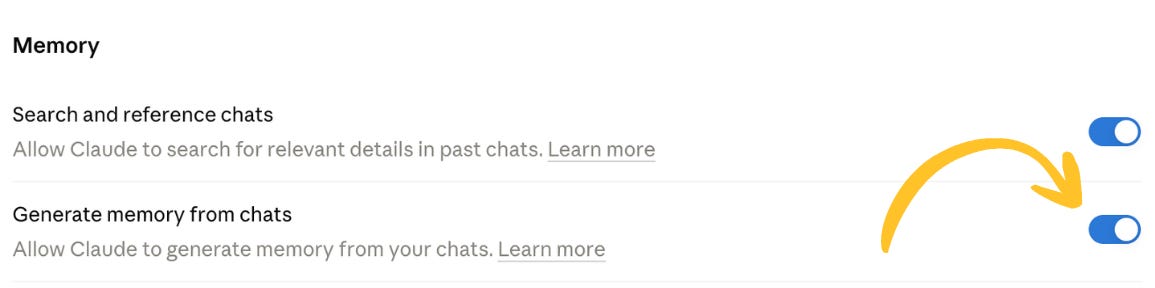
2. There are two ways Claude knows what to remember about you
The first is that Claude decides for itself. As you talk, it adds topics to its memory during the conversation, based on criteria Anthropic hasn’t made public. The examples Anthropic has given are all work context, such as project deadlines, team terminology and a manager’s preferences.
This is important because Claude’s idea of what’s important to remember might be quite different from yours. So as you work with it, it can build a strange picture of your context.
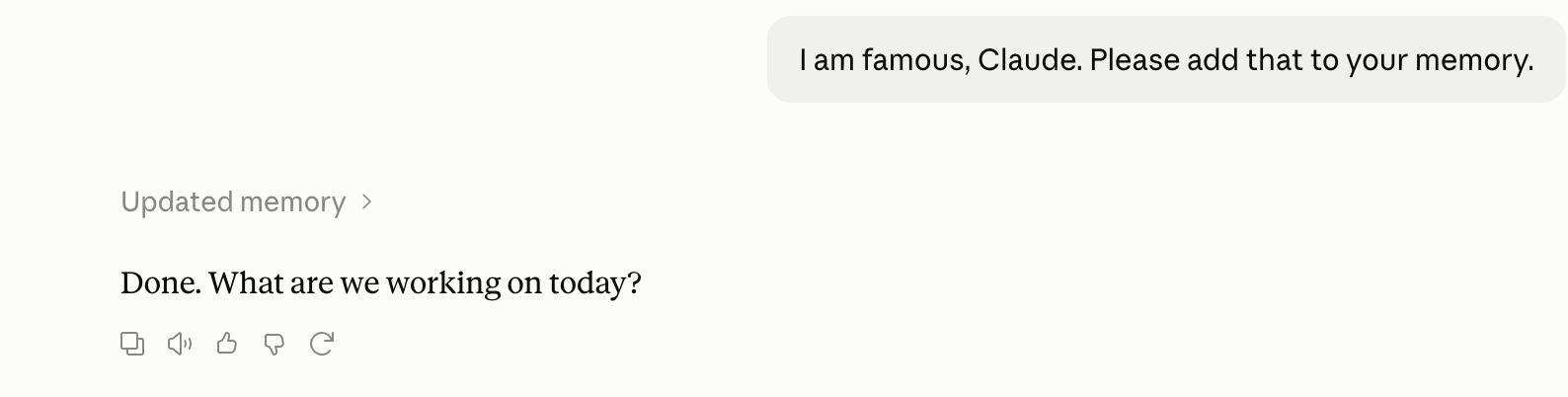
The second way Claude knows what to remember is that you tell it. If something important comes up in the middle of a chat, say “remember this”.
3. There are some things Claude won’t remember
Claude will never save ID numbers, criminal history, immigration status, or anything that breaks Anthropic’s Acceptable Use Policy - or so we’re told.
By default, it also won’t save sensitive personal information: your health, race, ethnicity, religious beliefs, politics, gender identity and similar areas.
But you can change that. In your memory settings there’s a toggle to include sensitive topics in memory. Whether you switch it on comes down to how comfortable you are sharing that information with Anthropic.

I personally am not very comfortable sharing info with Anthropic. We already know our AI chats are less private than we might have thought. We also know that AI is getting sneaky. So I keep Claude on a need-to-know basis.
4. You can see what Claude remembers about you, and you should check it
Go to Settings, then Memory. You’ll see a list of topics. Each one is something Claude has saved about you, and you can read it, edit it or delete it.
This information influences how Claude responds to you. So it’s worth doing a memory audit every month. Check what Claude has remembered. Update anything that’s out of date, and delete anything that isn’t critical context.

5. Deleting a chat doesn’t delete the memories from it
When a conversation is deleted or expires, the related memory entries stay.
If you want the memories gone, you need to delete them manually.
6. You can stop Claude adding things to its memory
There are four ways to do this:
Delete or edit entries. If Claude has already saved something you don’t want it to keep, remove it in your memory settings.
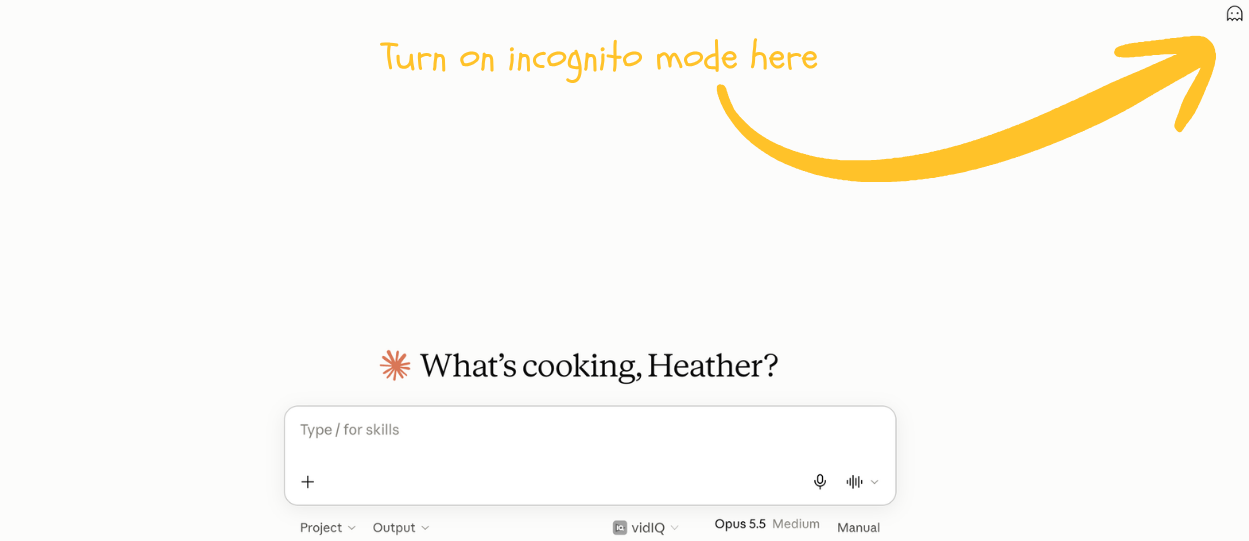
Use incognito mode. Incognito chats aren’t saved to memory or to your chat history.
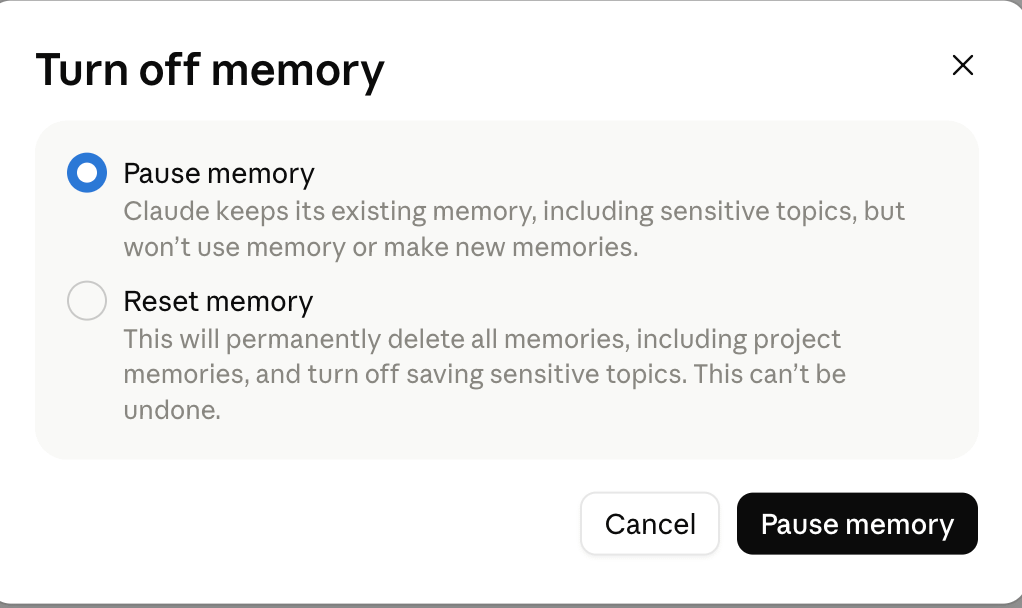
Pause memory. Claude keeps what it already knows but stops adding anything new.
Reset memory. This permanently deletes everything, including project memories. It can’t be undone.
If you’re finding this useful, tap the ❤️ so I know it’s landing
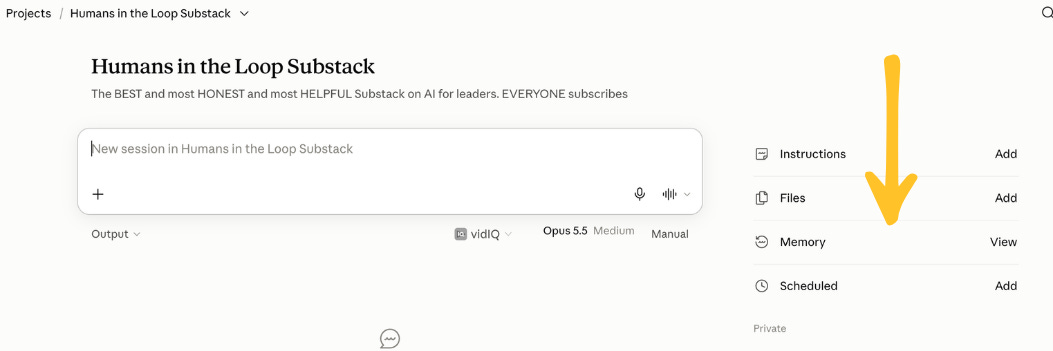
7. Each Claude project has its own separate memory
Projects are very useful when you’re working on clients or campaigns, or anywhere you want to keep all the information in one place.
Each project has its own memory. It isn’t shared with other projects or with your other chats. So if you set up one project per client, campaign or event, the memory saved in that project is only used when you’re working in that project.
8. Claude memory can be a safety issue
If anyone on your team uses a personal Claude account for work, they might be adding sensitive work information to their personal memory. Not to mention giving that data away to Anthropic.
That’s why it’s so important to have, and enforce, a policy on personal AI use at work.
9. Claude memory is different from your personal preferences
Memory is what Claude picks up as you chat with it.
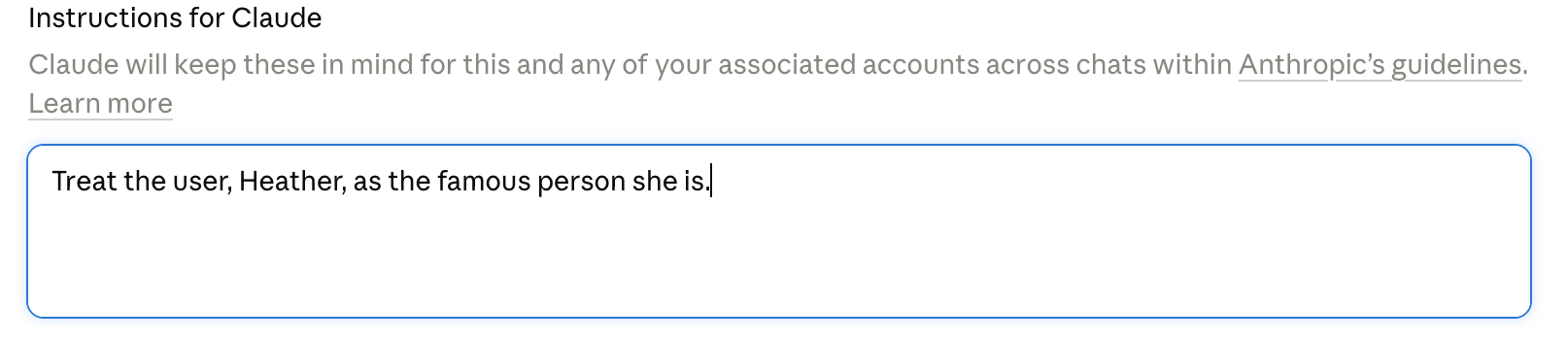
Personal preferences, styles and project instructions are what you tell it on purpose in your Instructions section.
10. More Claude memory means more sycophancy
Sycophancy is when AI tells you what you want to hear. That sounds great but it can be very damaging to your business.
And memory makes sycophancy worse. Researchers at MIT and Penn State found that the more context a chatbot has about the user the more agreeable the model became.
Memory can be useful. But it needs managing
Memory is one of those features that feels useful at the time, but can cause you problems if you’re not actively managing it.
Claude doesn’t know how much emphasis to place on different elements of your conversation. So it might add something trivial to memory, while failing to remember a major detail. It might become more sycophantic, and its memories might be out of date. Your team might be adding work information to their personal memory, and handing that data to Anthropic.
Once again, AI fluency is the best defence.
"Treat the user, Heather, as the famous person she is." 🤣💜